In today’s blog I’ll be going over LINQ, a very powerful feature of C#. LINQ lets you write SQL- esque statements directly into the code. I will also be going over structure types. Structures or structs are a means of data encapsulation much like objects but there are some differences between the two. Anyway, enough preamble let’s get started!
Structure Types
Structs function much like classes, they can have fields, getters/setters and can contain helper methods. There are a few caveats though as we shall soon see. Using the keyword “struct” just like we use the keyword “class”, we can declare structure type. Below is a basic struct called “Coordinate” that contains an X value, a Y value, a constructor and a set of properties for the two fields.
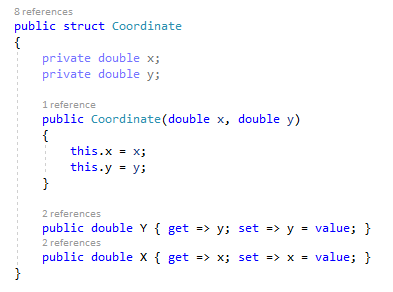
It looks identical to a class and you could swap “struct” with “class” without having to change anything else. So then why use structs? Well it all comes down to coding style and preferences. Structs are best utilized for designing small data-centric types where functionality and states are abstracted away.
Earlier I mentioned that there were some key differences between a struct and a class. I’ll touch on those now. The main difference is that structs cannot inherit from other structs or classes and therefore a struct will never be a “subclass” or a “superclass” to another struct or class. This makes sense given that structs are just meant to encapsulate data and provide a means of accessing the data in a structured format.
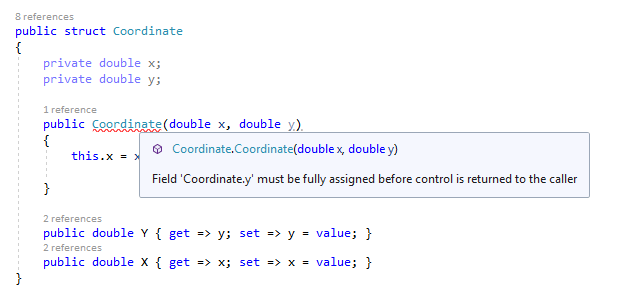
Another difference is a struct cannot have an empty constructor. Unlike a class where the empty constructor assigns the default value of each field, a struct must have its field explicitly assigned. This leads into the last difference I’ll be covering and that is structs must initialize all fields on creation. A default value will never be assigned automatically and it is the programmer’s job to ensure that all fields are initialized.
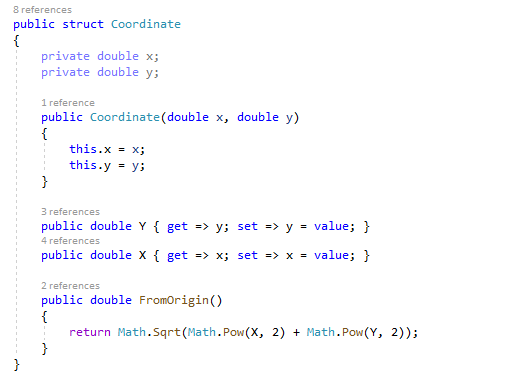
Now let’s see what else we can do with our struct. We can add helper methods and in the case of “Coordinate” I have added a method that calculates the absolute distance from the origin point 0, 0.
Structs cannot inherit but they can implement interfaces. Below is the “Coordinate” struct that has an IComparable interface implemented.
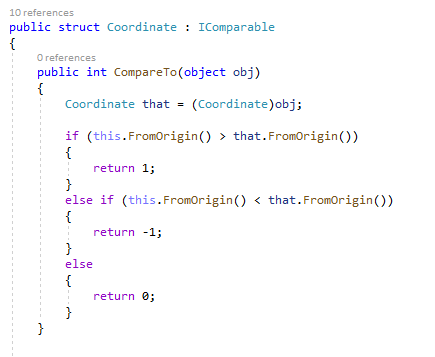
At this point, one might consider switching from a struct to a class given all the logic we’ve added to it but once again it is up to the programmer’s style and preference.
LINQ
LINQ stands for Language Integrated Query and allows for the usage of queries on data structures in C#. With LINQ you can query a List<T> or Array or even a data source connected to a Microsoft SQL Server. A LINQ query utilizes familiar keywords such as “from”, “select”, “where” and “orderby” to return sets of data based on specified conditions.
Below is a query run against a list of Coordinates. This query can be split into three parts, the from clause, the where clause and lastly the select clause. Here we are looking for all X values greater than 15.
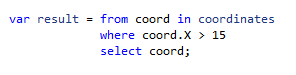
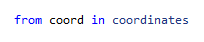
The “from” keyword specifics the data structure to run the query against as well as the name of a single instance from the data structure. “coordinates” is the list of Coordinates and “coord” is the placeholder name for a single Coordinate in the list.
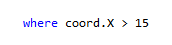
The “where” keyword specifies the condition that the data will be checked against. You can use Boolean expressions here such as >, <, ==, !=, etc. as well as methods that would return a Boolean. Here we use the defined “coord” and call the property for the x value and compare to see if it is greater than 15.
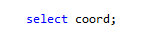
The “select” keyword defines what is returned from the query. Here you can choose the type of data returned. Currently the query is returning structs of type Coordinate as defined by “select coord”. However, if wanted to only return x values we could instead use “select coord.X” and that would return a result of all x values greater than 15 rather than all Coordinates that have an x value greater than 15.
Now that you’ve created a query you’ll want to display the results. Thus far I’ve used a variable of type var to store the results and it is the most convenient way as you do not need to know the exact type. However, knowing the exact return type can be useful. A query returns an IEnumerable<T> where T is the type specified in the select clause.
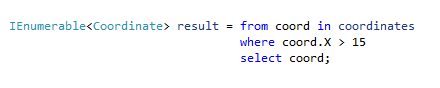
From here we’ll use a foreach loop to iterate through the results and display them.
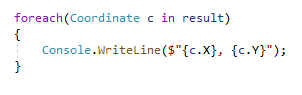
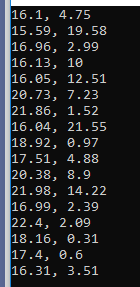
And this is the output, as we can see only Coordinates with x values greater than 15 are displayed.
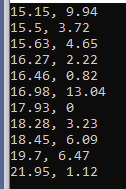
Lastly if you wanted to sort the results by using the “orderby” keyword and specifying the variable you want to sort by. Adding “orderby coord.X” sorts the results by ascending order.
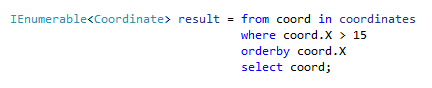
Below is the output and as you can see, the values have been arranged in ascending order.
That covers LINQ and Structure types in C#. I hope you’ve learned something new and thanks for reading. Till next time, see ya!
 INTP 362 - Emerging Trends